Digital client booking journal
A digital booking journal is the receptionist’s paper book that never gets lost, is visible to every specialist and suggests free time itself. In AuraOS the journal is a calendar by specialist with the history of every booking, and the AI receptionist helps fill it in.
7 days free, no card required · Updated:
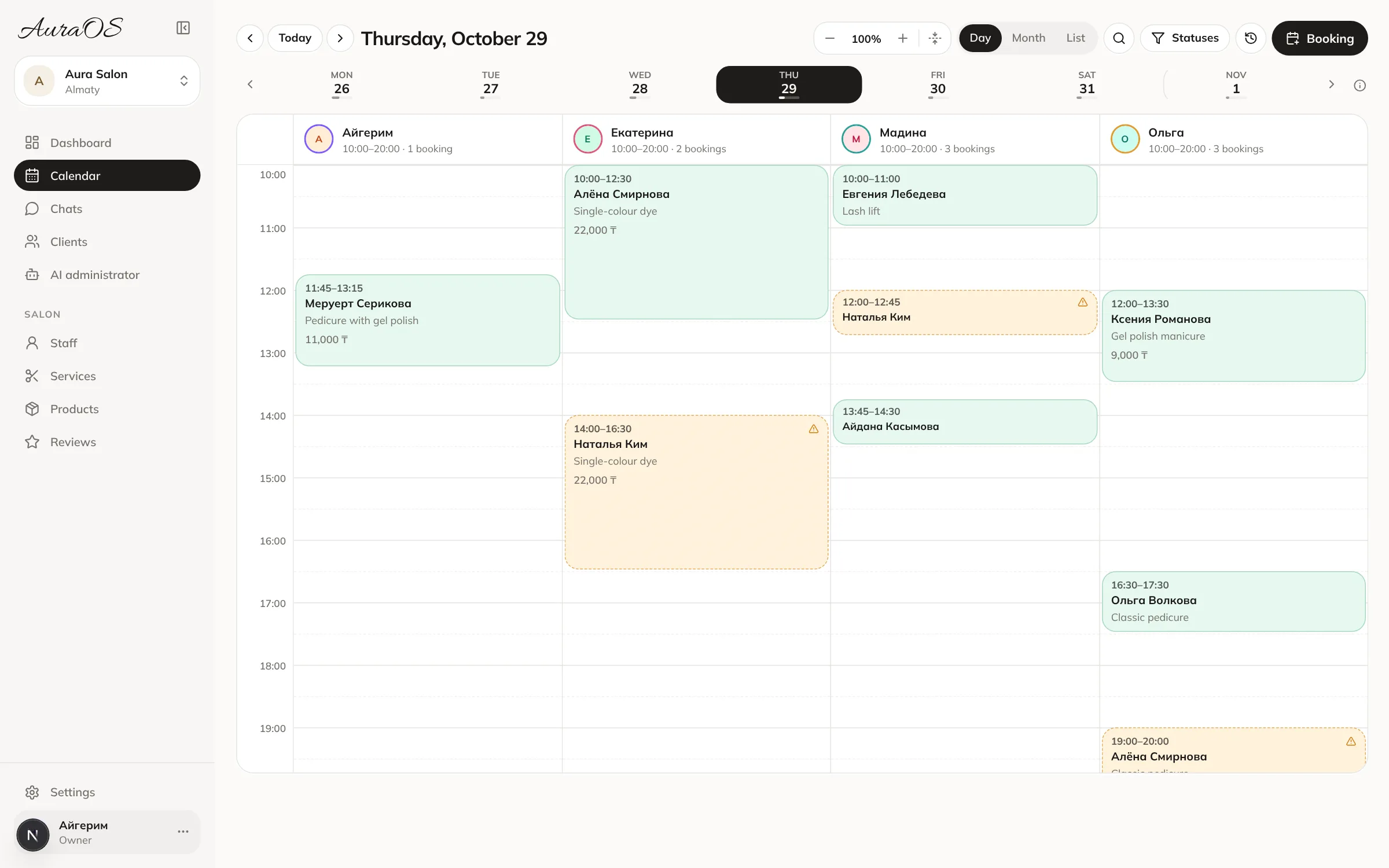
Paper book vs digital journal
| Paper book | Journal in AuraOS | |
|---|---|---|
| Where it is | At the front desk | On the owner’s and specialists’ phones |
| Double booking | Happens | Won’t book a taken slot |
| Moving a booking | Cross out and rewrite | Drag the booking |
| Client history | Flip through pages | In the client card |
| Who changed a booking | Unknown | Change log: who and when |
| Filling it in | Only a person | A person or the AI receptionist |
What each booking shows
- Client, services, specialist, time and duration.
- Status: pending, confirmed, arrived, in progress, completed, no-show.
- Who booked it: the AI receptionist or staff, and from which messenger.
- Payment: card, cash or mixed, discount, products sold.
- History: creation, moves and status changes.
Switching from a paper book in one evening
- 1
Clients
Upload a list from Excel or a photo – we help move it for free.
- 2
Upcoming bookings
Enter the next few weeks of bookings or ask the AI assistant.
- 3
Specialists
Give specialists a login – each sees their own day.
Frequently asked questions
Can I keep the journal on my phone?
Yes, the account works in the phone browser, with a convenient list of the day’s bookings.
What happens to the journal after the trial?
The calendar and clients stay; the AI is off until payment.
Can I see who deleted or moved a booking?
Yes, every change is written to the change log: who changed what and when.
Read next
Client booking softwareClient booking software: specialists’ calendar, booking from WhatsApp, Instagram and Telegram without a receptionist, reminders and double-booking protection.Learn more Paper book or CRMHow a paper appointment book and WhatsApp messaging differ from a salon CRM: lost bookings, double bookings, client base, reminders. When it’s time to switch.Learn more Booking calendarThe AuraOS booking calendar: bookings by specialist, several services per booking, four-hands work, discounts and payments. AI receptionist bookings appear automatically.Learn more